
One Wrong Setting Could Be Making Your Website Invisible to Google Right Now
- October 6, 2026
-
365admin2015
- Uncategorized
 5 mins read
Imagine this: your website looks completely fine. It loads properly in your browser. Your uptime monitoring shows green across the board. Nothing in your day-to-day checks suggests anything is wrong. And yet, for two straight weeks, Google has been unable to see a single page on your site — and your traffic has quietly collapsed.
This isn't a hypothetical. It's happening to real businesses right now, and according to Google's own team, it's one of the most common — and most invisible — technical problems a website can have. If you rely on your website to bring in leads and calls, this is worth five minutes of your attention.
What Google Itself Says Is Going Wrong
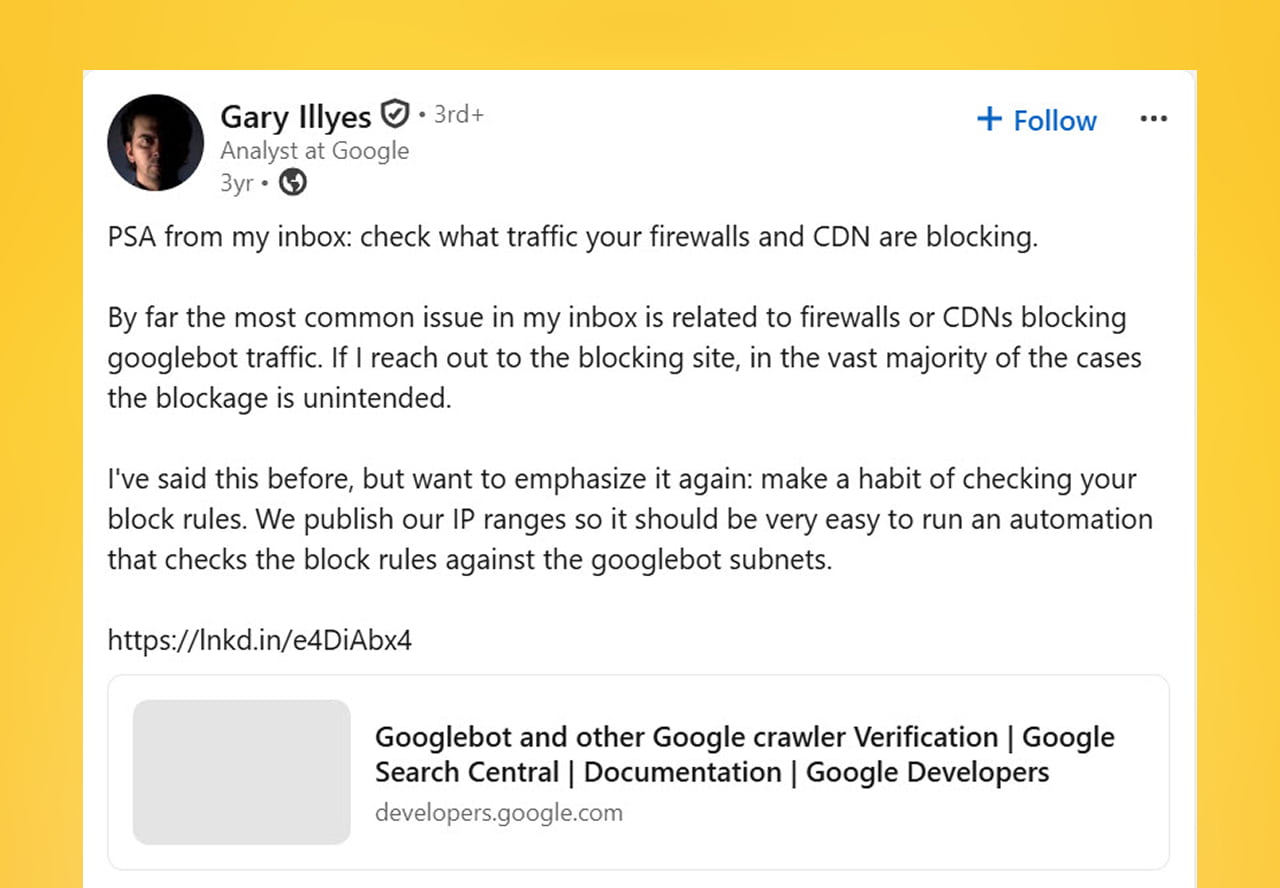
Gary Illyes, who works on Google's Search team, recently posted a direct warning about this. In his words, the single most common reason a website unexpectedly gets blocked from Google's crawler is a misconfigured firewall or CDN — and in the vast majority of cases he personally sees, the business didn't mean to block Google at all. It was accidental.
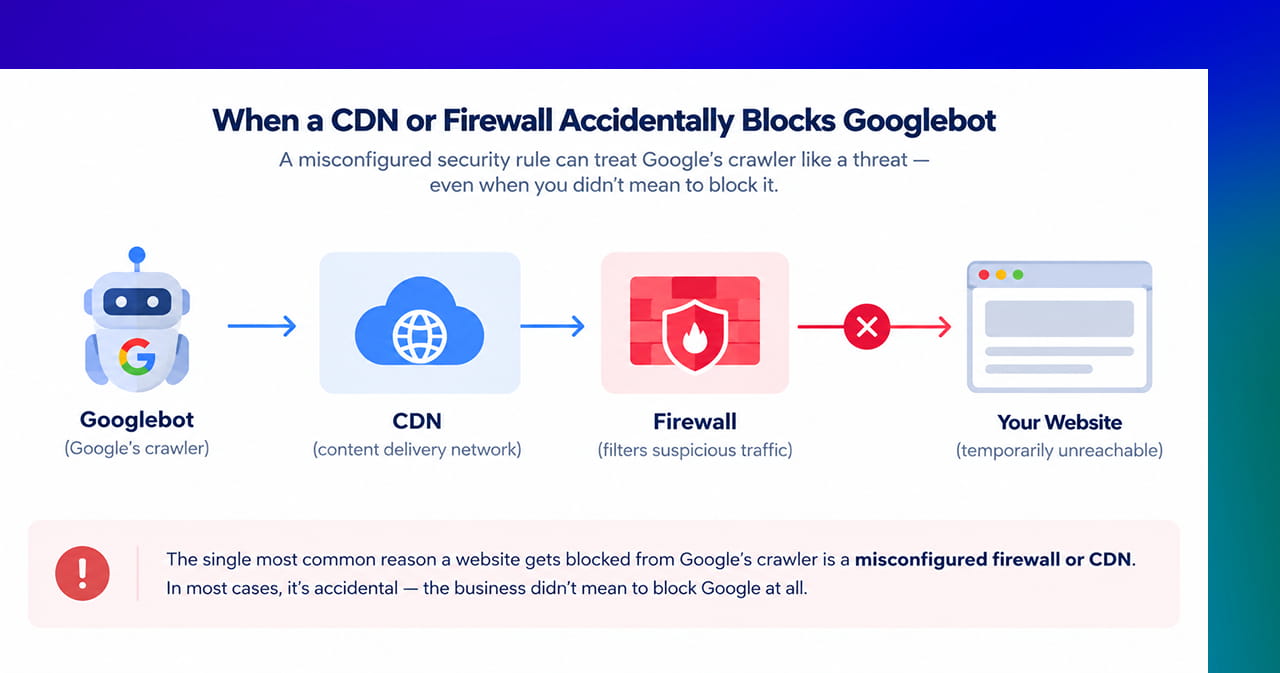
A CDN (short for content delivery network) is a service that sits in front of your website to make it load faster and stay protected from malicious traffic. A firewall does something similar — filtering out bad or suspicious visitors before they ever reach your site. Both are genuinely useful. The problem is what happens when their security rules get a little too aggressive and start treating Google's own crawler, Googlebot, as if it were a threat.
Why This Is So Easy to Miss
What makes this particular problem dangerous isn't that it's complicated — it's that almost nothing you'd normally check will show it to you.
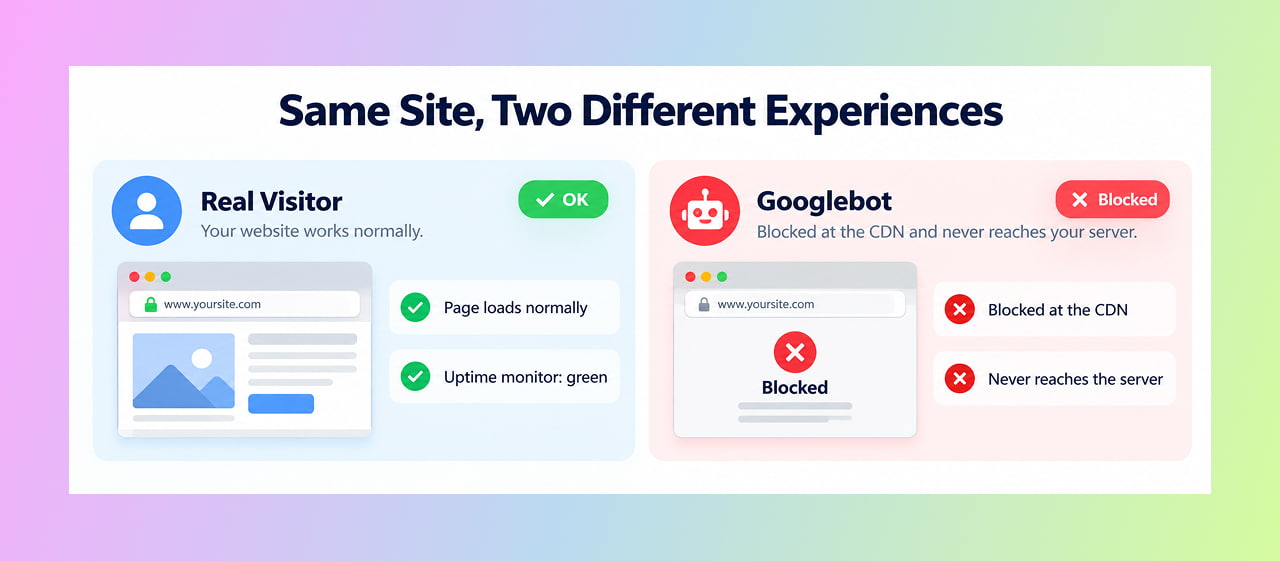
- Your website loads perfectly fine for a real visitor in a browser, because the block is specifically targeting bots, not people.
- Standard uptime monitoring stays green, because the site itself never actually goes down.
- Your own server logs can look completely clean, because a block at the CDN level often means the request never even reaches your server to be logged.
In one documented case shared publicly, a business's search clicks and impressions ran completely normally, then dropped to zero and stayed there for two full weeks before anyone noticed — simply because nobody was looking at the one place that would have shown it: Google Search Console's performance report.
A Fresh Example Making This Timely Right Now
This isn't just an old, occasional problem — it's actively happening again. Cloudflare, one of the most widely used CDN providers, changed its default bot-handling settings in mid-September 2026. Under the new defaults, bots classified as "Training" or "Agent" get blocked on pages that show ads, while bots classified as "Search" are meant to stay allowed.
The trouble is that this classification system isn't airtight. There have been public reports of site owners testing Cloudflare's AI-blocking settings, only to discover that both Googlebot and Bingbot started receiving "access denied" errors when trying to fetch basic files like the sitemap — a side effect nobody intended, caused by search crawlers and AI-training crawlers getting bundled together more than they should be.
The Difference Between "Please Don't Crawl This" and "You Cannot Have This At All"
It's worth understanding why this specific kind of block is so much more damaging than an ordinary mistake. A simple instruction telling Google "please don't crawl this page" still allows Google to know the page exists — it can potentially keep a version of it in the index. A hard block at the CDN or firewall level is a completely different situation: it tells Google "you cannot have this page, period." Pages that keep getting refused this way don't just get deprioritized — they eventually get dropped from Google's index entirely, and your rankings go with them.
How to Check If This Is Happening to You
- Open Google Search Console and check the Performance report. Look for any sudden, sustained flatline in clicks or impressions — a real drop looks like a slope; a block looks like a cliff.
- Use the URL Inspection tool on a page you know should be indexed. Run a "Live Test" and check whether Google can actually fetch and render it right now.
- Ask whoever manages your CDN or firewall directly what their current bot-handling settings are — especially if that's an outside IT provider or hosting company rather than your own team. This single question resolves the issue surprisingly often.
- Check your CDN's crawler-blocking settings specifically for Googlebot, especially if you or your provider recently enabled any "block AI bots" or "block AI training" feature — these can unintentionally catch search crawlers in the same net.
- Compare your indexed page count over time. A steady, unexplained decline is a strong sign that something is quietly blocking Google from re-confirming pages it used to have no trouble reaching.
Why This Deserves Real Priority, Not a "We'll Get to It"
A rankings drop from a content or algorithm issue is something you can usually work back from with effort over time. A hard crawler block is different — while it's active, none of that recovery work matters, because Google literally cannot see any of it. Every day this goes unnoticed is a day of lost visibility that can't be recovered retroactively; it just resumes once the block is lifted. The earlier this gets caught, the less ground there is to make up.
Quick Takeaways
- Google's own team says the most common reason a site unexpectedly disappears from search is an accidental CDN or firewall misconfiguration — not a content or ranking issue.
- This kind of block is unusually hard to notice because the site looks completely fine to human visitors and standard monitoring tools.
- A September 2026 change to Cloudflare's default bot-handling settings has caused fresh, real cases of Googlebot being blocked alongside AI training bots.
- The fix is usually a quick settings conversation, but only once someone actually thinks to check — which is the whole problem.
- Google Search Console's Performance report and URL Inspection tool are the fastest ways to confirm whether this is happening to your site right now.
Not Sure If Google Can Actually See Your Site Right Now?
This is exactly the kind of problem that hides in plain sight until someone knows to look for it. Reach out through our contact form and we'll check whether your site is quietly blocking the one visitor that matters most to your traffic.
Outsourced365 Services are designed to help you grow
Contact us Today!
Why Companies Build Websites with Outsourced365
With our web design services, you will get:
- Modern, conversion-focused layouts
- Responsive design across all devices
- Optimized user experience and navigation
- Scalable websites built for growth

Related Posts
See all posts