Google Ads Editor 2.10 and Older Versions Will Stop Working on October 19
- October 20, 2026
-
365admin2015
- Uncategorized
 4 mins read
If you or your team use Google Ads Editor, the free desktop app for making bulk edits to campaigns, check your version number today. Google says that on October 19, 2026, Editor versions 2.10 and earlier will no longer be supported. Updating takes a few minutes, and doing it before the deadline avoids a stressful surprise. If you manage many accounts, our digital marketing team can help you keep the process smooth.
What Exactly Did Google Say?
Google’s Editor help page says three things:
- “Each version of Google Ads Editor will be supported for a year from its original release date.”
- After that time you must upgrade to the newest version to keep using Editor.
- “On October 19, 2026, Google Ads Editor versions 2.10 and earlier will no longer be supported.”
This also follows an earlier deadline: support for versions 2.9 and earlier ended on March 30, 2026. PPC News Feed flagged the new date.
“Stop Working” or “No Longer Supported”?
Here is a small but important detail. The phrase “stop working” is how the news headline put it. Google’s own wording is “no longer supported,” and its page does not describe exactly what happens on that day, such as whether the old app blocks you or shows an error.
Our advice: do not wait to find out. Plan as if you will need the new version on October 19, because Google’s message is clear that you must upgrade to continue using Editor.
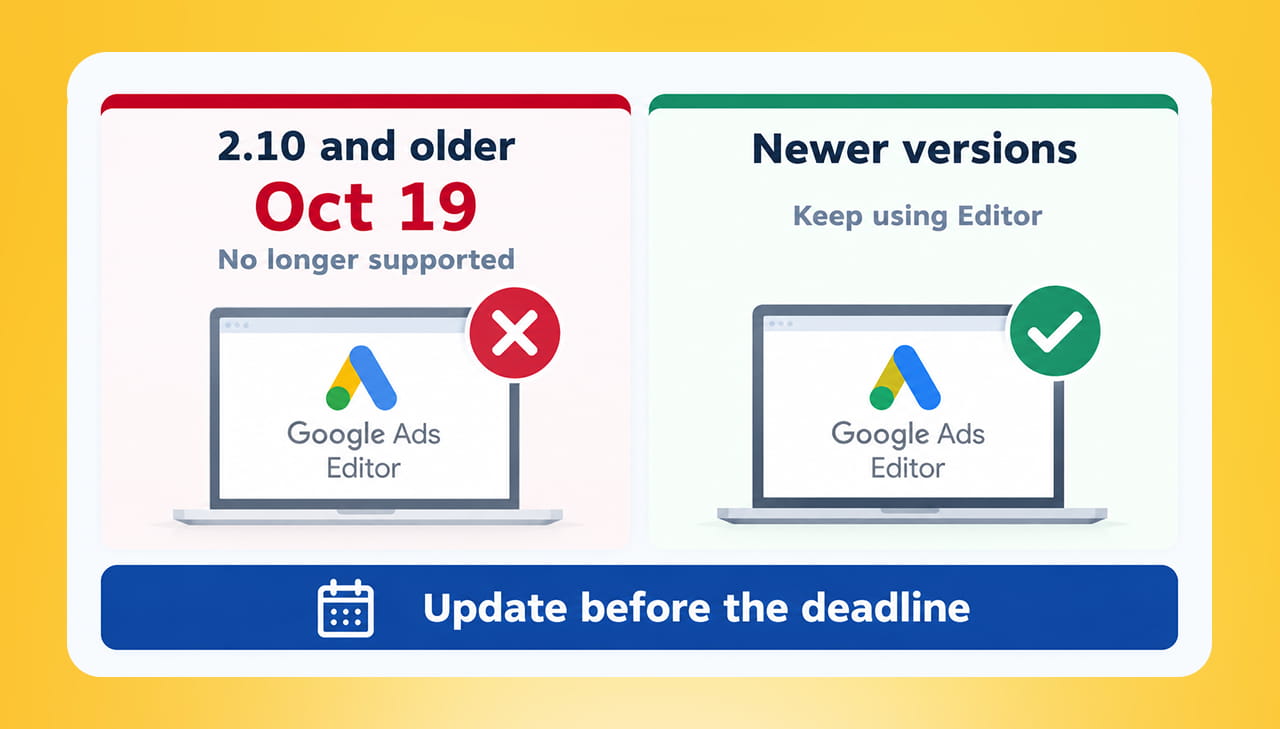
Versions 2.10 and older lose support on October 19, 2026.
How to Check Your Version
Open Google Ads Editor and look for the version number, usually under the Help menu. If it says 2.10 or lower, you need to update. The latest version Google documents on its help site is 2.13, part of the 2026 release.
How to Update Safely
According to Google’s upgrade instructions, Editor checks for updates when it opens and from time to time while running. When one is available, it tells you and asks if you want to upgrade. You can also click the “Update to” button in the bottom right corner of the window.
The one thing to watch is your unposted changes. These are edits you made in Editor but have not yet sent to Google Ads. Google notes that an upgrade sometimes requires you to download your account data again, so protect your work first.
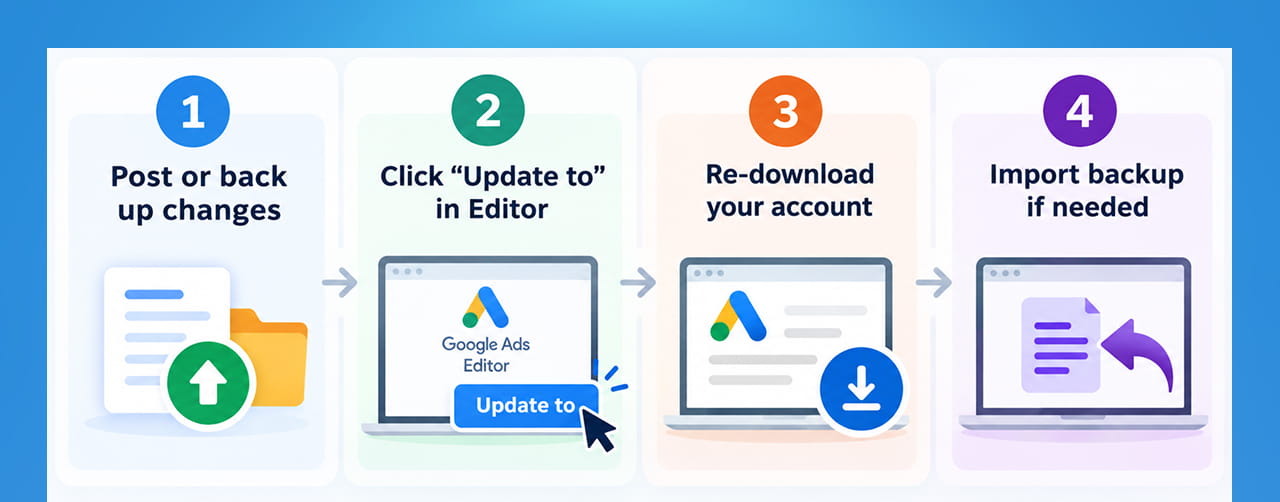
A safe upgrade path for Google Ads Editor.
Google gives two options:
Option 1: Back up, then upgrade
- Create a backup file of your changes and comments before installing.
- Install the upgrade.
- Download your account again.
- Import the backup to restore your comments and unposted changes.
Option 2: Post first
- When prompted, click “Don’t update.”
- Post your changes to Google Ads.
- The next time you open Editor, download the new version.
If you are in the middle of a big campaign build, Option 1 is the safer choice. If you have nothing pending, Option 2 is the simplest.
What You Get With the Newer Version
Updating is not just housekeeping. The latest version Google lists (2.13) includes things such as:
- Channel performance reports inside Editor
- AI Max support for Shopping campaigns
- Target CPA and Target ROAS as separate bidding strategies for Search and Performance Max
- A redesigned column dialog with saved presets
- Resume for interrupted account downloads
Features can differ by account, so check what applies to you.
A Quick Checklist for Agencies and Teams
- Ask everyone who uses Editor to check their version this week.
- Remember shared computers, freelancers and clients’ machines.
- Post or back up pending changes before updating.
- Update during a quiet time, not on deadline day.
- Spot-check one account after updating to confirm downloads work.
If keeping tools, accounts and settings up to date is a headache, our website maintenance service can take routine upkeep off your plate.
Quick Takeaways
- Google Ads Editor versions 2.10 and earlier will no longer be supported on October 19, 2026.
- Google’s wording is “no longer supported,” and you must upgrade to keep using Editor.
- Editor prompts you to update, or you can use the “Update to” button.
- Back up or post unposted changes before upgrading.
- Check versions across your whole team now.
Let’s Talk: Keep Your Google Ads Editor and Accounts Up to Date
A missed software update sounds small, until the day your team cannot use Google Ads Editor in the middle of a campaign build. Unposted changes can be lost, bulk edits get delayed, and campaigns sit waiting while someone works out what went wrong.
At Outsourced365, we help businesses and agencies keep their Google Ads tools and accounts running smoothly. From updating Editor safely to checking campaigns after the switch, our team can take routine upkeep off your plate so nothing breaks on deadline day.
We can help you:
- Check which Google Ads Editor version each team member is using
- Back up unposted changes and comments before upgrading
- Update Google Ads Editor safely without losing work
- Download accounts again and confirm everything syncs correctly
- Spot-check campaigns after the update for missing or broken changes
- Set up newer Editor features, such as separate Target CPA and Target ROAS bidding
- Manage bulk campaign edits across multiple accounts
- Provide ongoing account management and website maintenance support
If the October 19 deadline is close and you are not sure every machine is updated, don’t wait for the problem to show up mid-campaign. Get in touch with Outsourced365 through our contact form and let’s make sure your team can keep editing, posting and managing campaigns without interruption.
Outsourced365 Services are designed to help you grow
Contact us Today!
Why Companies Build Websites with Outsourced365
With our web design services, you will get:
- Modern, conversion-focused layouts
- Responsive design across all devices
- Optimized user experience and navigation
- Scalable websites built for growth

Related Posts
See all posts