Using Location Assets in Google Ads? Your Call-Tracking Number May Get Swapped
- October 27, 2026
-
365admin2015
- Digital Marketing
 5 mins read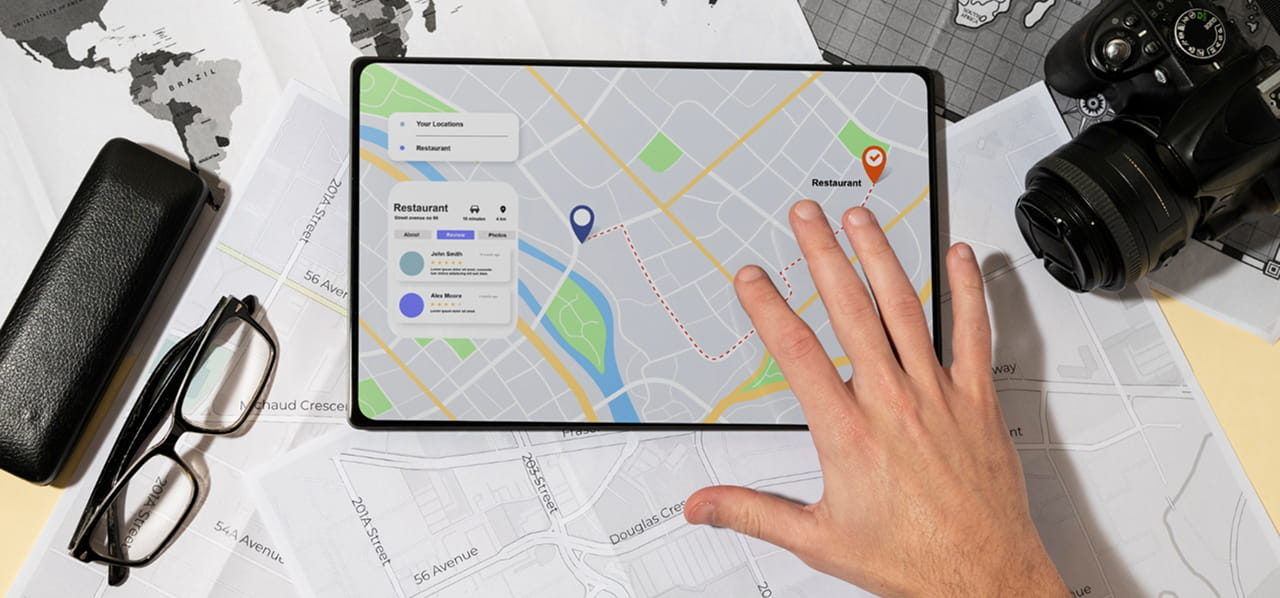
Google Ads call tracking only works if the number in your ad is the one Google is tracking, and location assets can quietly change that. If you run Google Ads for a local business, your phone number can show up in more than one way. Combine Google Ads location assets with call tracking, and a quiet detail can change which number a customer actually dials. When that happens, calls can ring your business without being credited to the ad that earned them.
This matters most for businesses with several locations, and for anyone who judges their Google Ads performance by the number of calls it brings in. Here is what is documented, what advertisers reported this September, and how to check your own account.
Two Phone Numbers, One Ad
An ad can carry two different phone numbers.
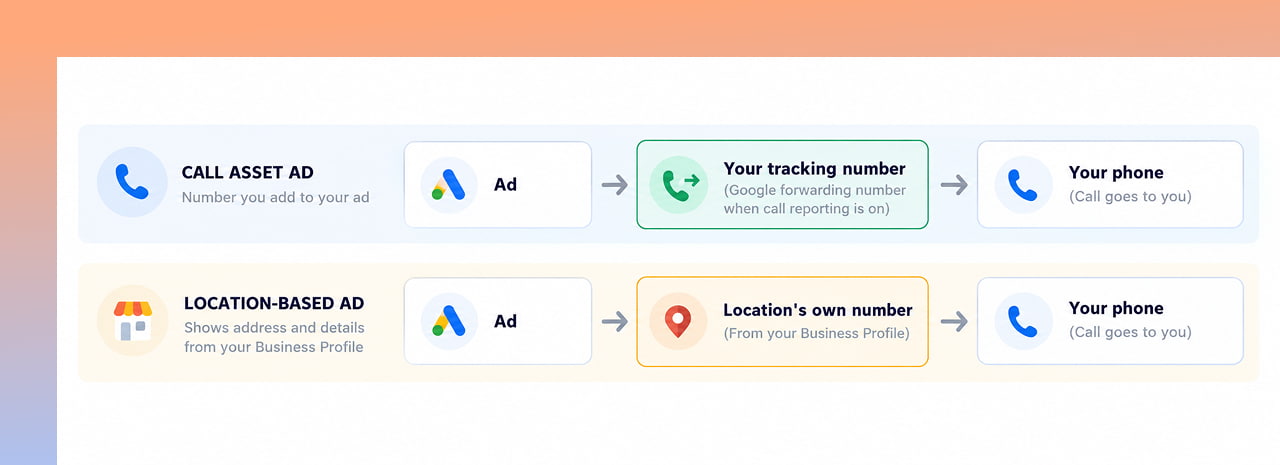
- A call asset is the number you add to your ad. When call reporting is on, Google swaps in a forwarding number so it can record details like how long the call lasted. Google explains that turning call reporting on assigns a forwarding number to your ad so you can see call duration, start time and whether the call connected, while turning it off shows your own number but stops Google Ads tracking calls.
- A location asset shows the address and details of a branch pulled from your Google Business Profile, including that location’s own phone number.
The catch is documented in Google’s own help pages. When you use both location and call assets, Google says ads that feature a specific business location may send calls to the number tied to that location rather than the number set in your call asset.
What Advertisers Reported This September
Business Profiles have a setting for a “Google Ads phone number”, meant to let a tracking number appear when your profile is shown as an ad. Starting around September 1, some advertisers said that setting was not being applied on location-based ad formats, and the ads were showing the plain Business Profile number instead.
Search Engine Roundtable reported that Google replied by pointing to the documented behaviour, and that some advertisers later said their numbers had returned to normal while others still saw the problem.
So the honest status is unclear. It is not confirmed whether this is permanent, whether it was a temporary fault, or whether it affects your account at all. That is exactly why it is worth checking rather than assuming.
Why This Matters for Google Ads Call Tracking
If you depend on call tracking, a different number showing in the ad can break the link between a call and the ad behind it. The results can include:
- Fewer calls credited to your ads, which makes campaigns look weaker than they are.
- Muddled budget decisions, if you cut spend on campaigns that are actually generating calls.
- Gaps for multi-location businesses, where each branch may show a different number.
How to Check Your Own Account
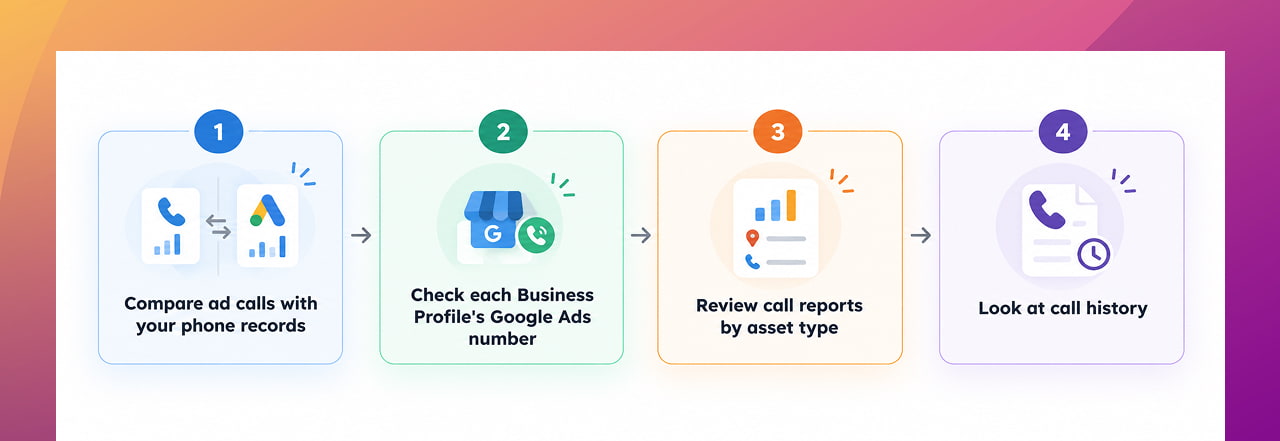
- Compare the numbers. Look at calls recorded by your phone system or CRM against calls reported in Google Ads over the same weeks. A gap that opens in early September is worth investigating.
- Check each Business Profile. If you use a tracking number, confirm that the “Google Ads phone number” setting is filled in correctly for every location.
- Review reporting by asset type. Google suggests comparing call reporting for location asset ads and call asset ads to see which performs better, and that comparison can also reveal missing calls.
- Look at call history. Google says that if your Google Ads account is linked to a Business Profile with call history turned on, calls from your Business Profile that can be attributed to an ad interaction are reported in the “Calls from ads” conversion action.
Your Options
There is no single right answer, and this is our view rather than Google’s. If accurate call attribution matters more than showing branch details, you could test campaigns that use call assets only. If branch visibility matters more, you could keep location assets and lean on Business Profile call history for attribution. Many accounts will want a mix. The important part is to choose on purpose, not by accident.
Setups like this can change without warning, so they are worth re-checking regularly. Regular website and account maintenance keeps small issues from turning into weeks of bad data.
Quick Takeaways
- Google’s own help page says that when you use both location and call assets, location-based ads may use the location’s phone number instead of your call asset number.
- Advertisers reported in September that the Business Profile “Google Ads phone number” setting was not always applied on location ad formats.
- Whether this is permanent is unclear, and some advertisers said their numbers later returned to normal.
- Compare your phone records with Google Ads call data, and check the setting in every Business Profile.
- Choose deliberately between call assets only, location assets with call history, or a mix.
LET'S TALK: MAKE SURE YOUR GOOGLE ADS CALLS ARE BEING TRACKED
When you use Google Ads location assets alongside call tracking, the phone number shown in your ads may not always be the number you expect. For businesses that rely on calls to measure advertising performance, this can make it harder to connect incoming calls with the campaigns that generated them. Google Ads Location Assets Call…
At Outsourced365, we help businesses review their Google Ads call tracking, Business Profile settings, and campaign setup so important call data does not get overlooked. Whether you manage one location or multiple branches, we can help you identify potential gaps in attribution and make your reporting more reliable.
We can help you:
- Audit Google Ads call tracking and call attribution
- Review location assets and call assets
- Check the Google Ads phone number setting across Business Profiles
- Compare Google Ads call data with your phone system or CRM
- Review call reporting by asset type
- Identify potential gaps in calls credited to your campaigns
- Review multi-location Google Ads setups
- Provide ongoing website and digital marketing support to keep your campaigns aligned
If you're seeing a gap between the calls your business receives and the calls reported in Google Ads, it's worth investigating before making decisions about your advertising budget. Reach out to Outsourced365 through our contact form and let's make sure your calls are being tracked and attributed as accurately as possible.
Outsourced365 Services are designed to help you grow
Contact us Today!
Why Companies Build Websites with Outsourced365
With our web design services, you will get:
- Modern, conversion-focused layouts
- Responsive design across all devices
- Optimized user experience and navigation
- Scalable websites built for growth

Related Posts
See all posts