Google’s Shopping Cart in Search: How to Be Ready Before the Holiday Rush
- November 26, 2026
-
365admin2015
- Outsourcing
 5 mins read

Imagine a shopper who finds a jacket on one shop’s website, a pair of shoes on another and a gift on a third. Until now, each purchase meant a new checkout, a new login and a new chance to give up. Google has built a single cart that fixes this. It is called the Universal Cart, and it follows shoppers across Search, AI Mode and the Gemini app. If you sell online, you need to be ready for it, and our website development team can help you get your store in shape.
Here is what the cart does, what it means for a small online shop and what to fix first, in plain words.
What Is the Universal Cart?
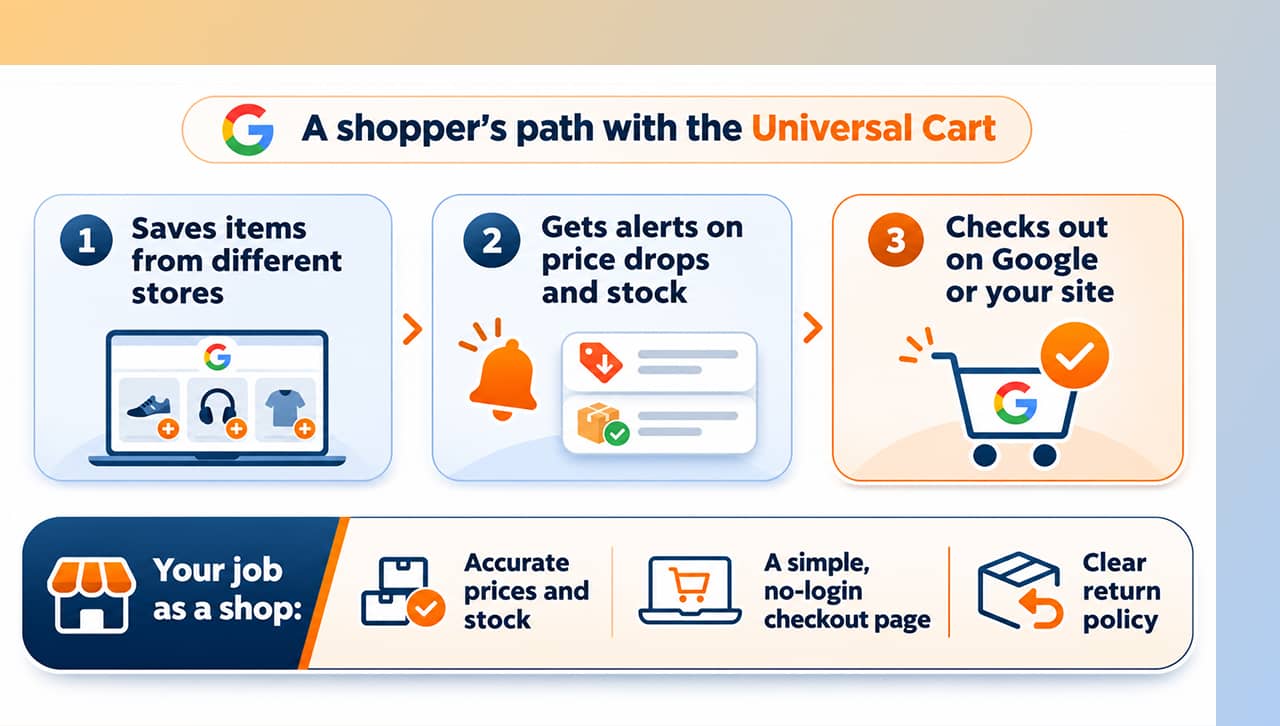
Google describes it like this: “Universal Cart is an intelligent shopping cart and your new hub for shopping on Google.” It “works across merchants and across services,” so a shopper can add items from different shops into one place. Google’s announcement says YouTube and Gmail will follow Search and Gemini.
Once an item is in the cart, Google says it “gets to work in the background — finding deals and price drops, giving you insights on price history and alerting you when an item is back in stock.”
Two terms are worth knowing:
- AI Mode is Google’s chat-style way of searching, where shoppers ask a question in normal words and get a full answer.
- UCP (Universal Commerce Protocol) is a shared set of rules that lets Google’s shopping tools talk to your store. Think of it as a common language between Google and your website.
What Does It Mean for Your Shop?
The cart creates a new place where shoppers compare you with other stores, often before they ever visit your website. Two things matter most:
- Your information is checked all the time. The cart watches price and stock, so wrong details are noticed fast.
- Your checkout is part of the journey. If it is slow or confusing, the shopper may drop you from the cart.
Google also says the shop stays in charge: “the retailer always remains the merchant of record.” In simple words, the sale is still yours, and so are the customer and the order.
Three Doors Into the Cart
Google’s help pages describe three ways a shop can take part. You do not need all three.
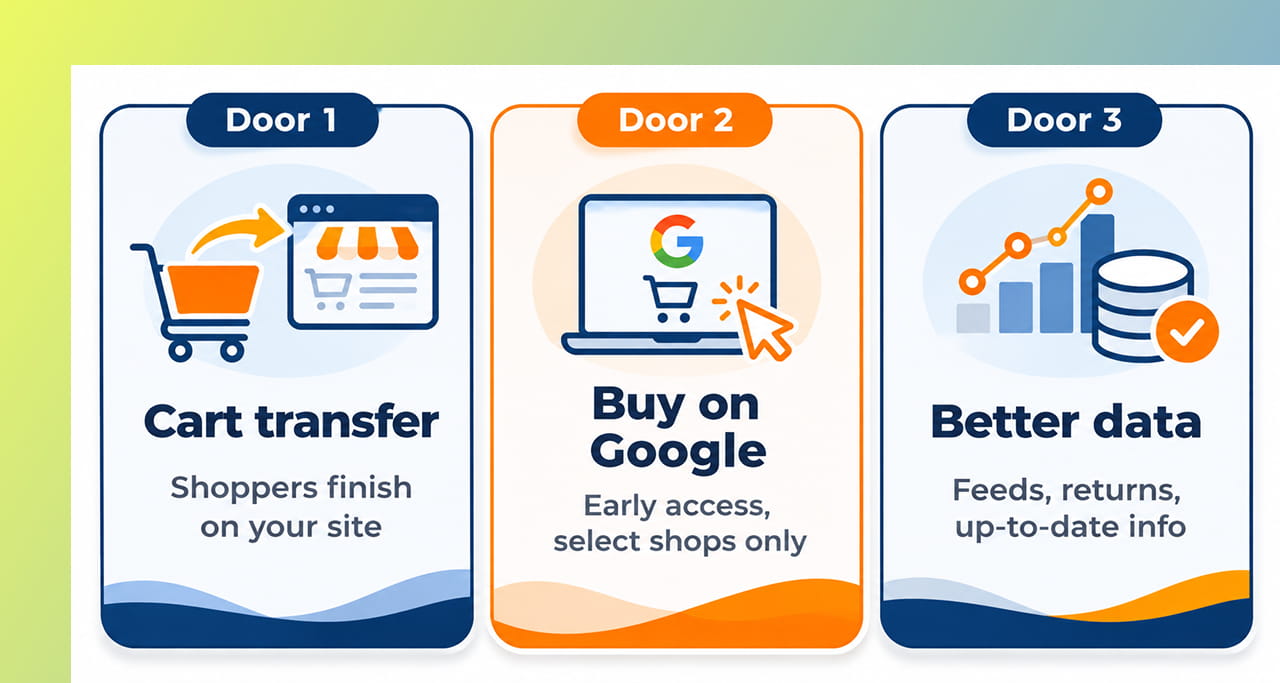
| Door | What it means | Who can use it now |
| 1. Cart transfer | The shopper fills the cart on Google, then taps a button and lands on your website with the items already in your cart. | Gradually rolling out through Merchant Center in the U.S. |
| 2. Buy on Google | The shopper pays on Google with Google Pay. You stay the seller. | Select merchants only, for now. |
| 3. Better data | Your product details, prices and return policy are accurate and complete. | Every online shop, today. |
Door 3 is the one you can open this week, and it helps with the other two.
Door 1: Cart Transfer
Google’s developer guide explains that this lets “shoppers add products to cart on Google, then check out directly from your online store’s cart.” It is the lighter option, because it “doesn’t require full product feed setup, product warnings, or customer support information.”
Google also says cart transfer works on an opt-out basis. Products approved for free listings are included by default once your site supports it, and you can exclude specific products if you wish. Your developer or platform provider handles the technical part.
Door 2: Buy on Google
Here, the shopper never leaves Google. Google says “customers can checkout quickly with Google Pay, using payment methods and shipping information already saved in Google Wallet.”
This is not open to everyone yet. Google’s help page says “the checkout feature enabled by UCP is available for select merchants at this time.” There is an interest form, and Google says Canada and Australia will get Merchant Center onboarding next year.
Door 3: Better Data
This is the part every shop can do. Google’s own advice is: “The best preparation is to ensure that all your data in Merchant Center – from product feeds to brand assets – is as robust and up to date as possible.”
Merchant Center is the free Google tool where you upload your product list, which is called a product feed. Google also says shops using core feed best practices “see a 5% increase in conversions the following month” on average. That is Google’s own average, so your results may differ.
Your Pre-Holiday Checklist
Work through these in order. The first four need no developer.
- Check your prices and stock in Merchant Center. If your feed says “in stock” but your site says “sold out,” fix it today.
- Add your return policy. Google says you must set return policies in Merchant Center for checkout, because they “will be referenced on the checkout screen.”
- Review your product titles, photos and details. Clear, complete listings help shoppers choose you.
- Look at your own checkout. Open your store on a phone and buy something. Count the steps. Our advice is to offer guest checkout, so a first-time buyer is not forced to create an account.
- Ask your developer or platform provider about UCP. Google says that if you use a third-party platform, you should “connect directly with them to learn more about their plans.”
- Tell Google you are interested. For Buy on Google, fill in the interest form linked from Google’s Merchant Center help.
One more tip for technical teams: Google says the “Buy” button appears only on listings with the checkout eligibility attribute turned on, and the default is off. Cart transfer uses its own separate setting.
Quick Takeaways
- Universal Cart lets shoppers collect products from different stores in one place across Google.
- Google watches prices and stock for the shopper, so accurate data matters more than ever.
- You stay the seller, and the sale and customer are still yours.
- Cart transfer is the lighter option, and Buy on Google is for select shops for now.
- Right now, the most useful step is accurate Merchant Center data and a clear return policy.
- Test your checkout on a phone, and make it as short as you can.
- It is U.S.-first, with other countries following, so check what applies to you.
Want Your Store Ready for Google’s New Cart?
If you would like help checking your product feed, tidying your checkout or planning the technical setup, reach out through our contact form and we will walk through it with you. We also run digital marketing for online shops, if you want your products seen as well as ready.
Outsourced365 Services are designed to help you grow
Contact us Today!
Why Companies Build Websites with Outsourced365
With our web design services, you will get:
- Modern, conversion-focused layouts
- Responsive design across all devices
- Optimized user experience and navigation
- Scalable websites built for growth

Related Posts
See all posts